Configuration Reference
This page provides a complete reference for all configuration options in the Innosend Magento 2 modules.
API Configuration
Path: Stores → Configuration → Innosend → API Configuration
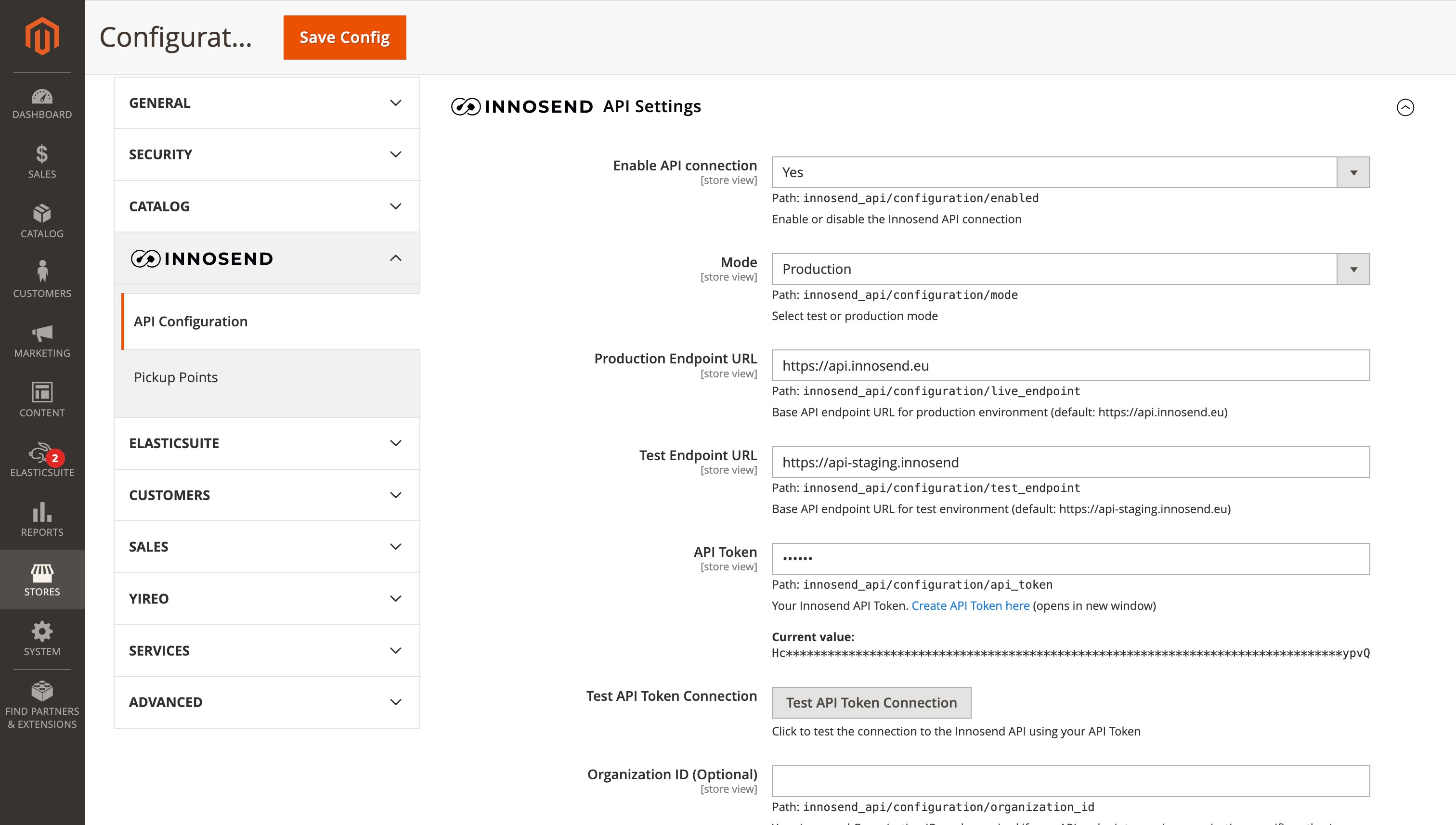
API Settings
| Setting | Type | Default | Description |
|---|---|---|---|
| Enable API Connection | Yes/No | No | Enable or disable the Innosend API connection |
| Mode | Select | Test | Select between Test or Live (Production) mode |
| Production Endpoint URL | Text | https://api.innosend.eu |
Base API endpoint for production environment |
| Test Endpoint URL | Text | https://api-staging.innosend.eu |
Base API endpoint for test environment |
| API Token | Password | - | Your Innosend API Token — covers all features including pickup points (encrypted storage) |
| Test API Token Connection | Button | - | Verifies the token by calling /v1/pickup-point/courier |
| Organization ID | Text | - | Optional: Only required if API endpoints need organization-specific paths |
| Request Timeout | Number | 30 | Timeout for API requests in seconds |
API Token
Create your API Token at Dashboard → Settings → API Keys. One token covers the full API — no separate API Key or API Secret needed.
Upgrading from v1.0.x?
The API Key, API Secret, Allow Write Operations, and Enable Pickup Points fields have been removed in v1.1.
Your existing API Token is migrated automatically when running bin/magento setup:upgrade.
Pickup Points Configuration
Path: Stores → Configuration → Innosend → Pickup Points
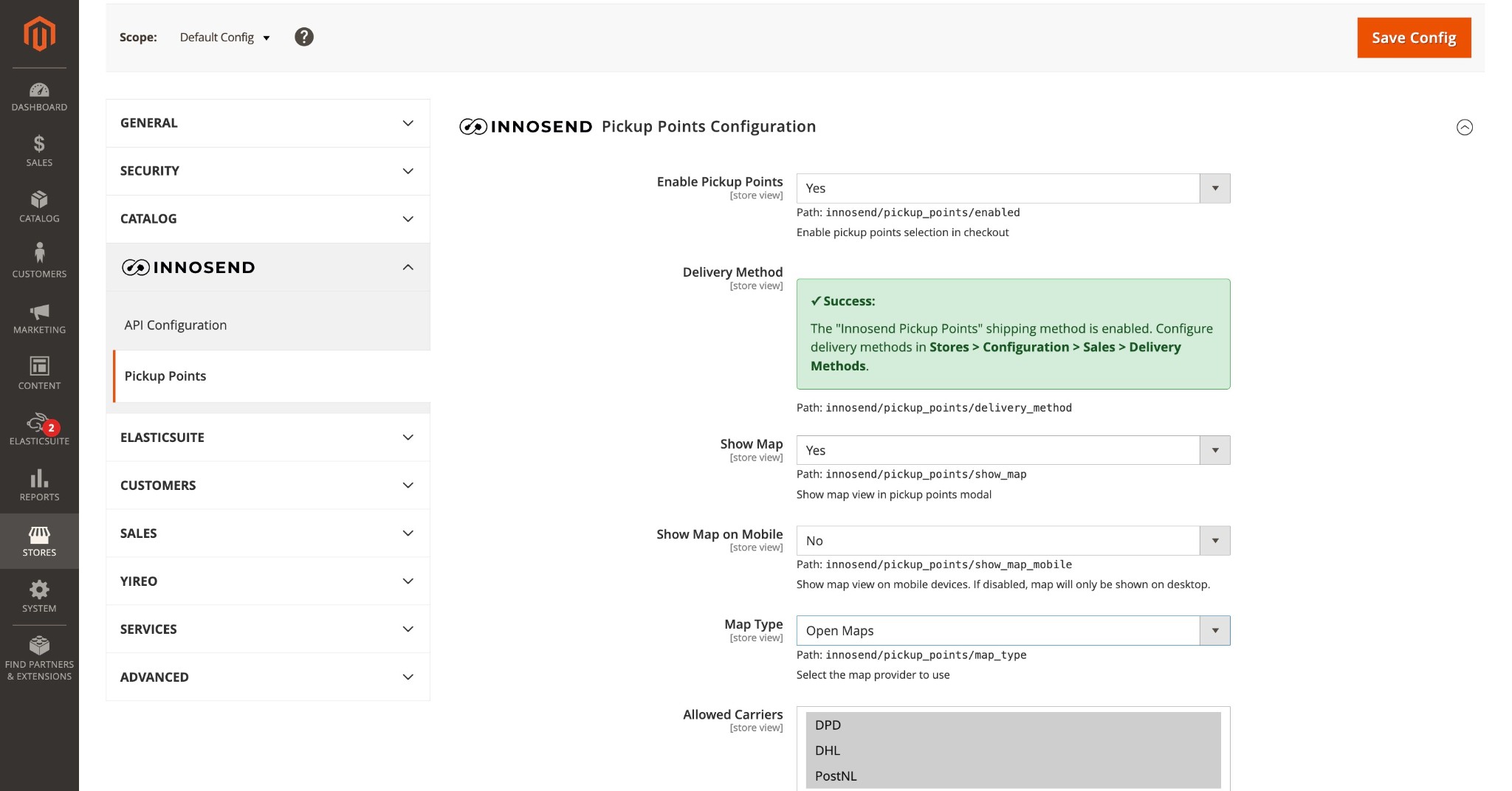
Pickup Points Settings
| Setting | Type | Default | Description |
|---|---|---|---|
| Enable Pickup Points | Yes/No | No | Enable pickup point selection in checkout |
| Delivery Method | Note | - | Warning field showing delivery method requirements |
| Show Map | Yes/No | Yes | Show map view in the pickup points modal |
| Show Map on Mobile | Yes/No | Yes | Show map on mobile devices (requires Show Map enabled) |
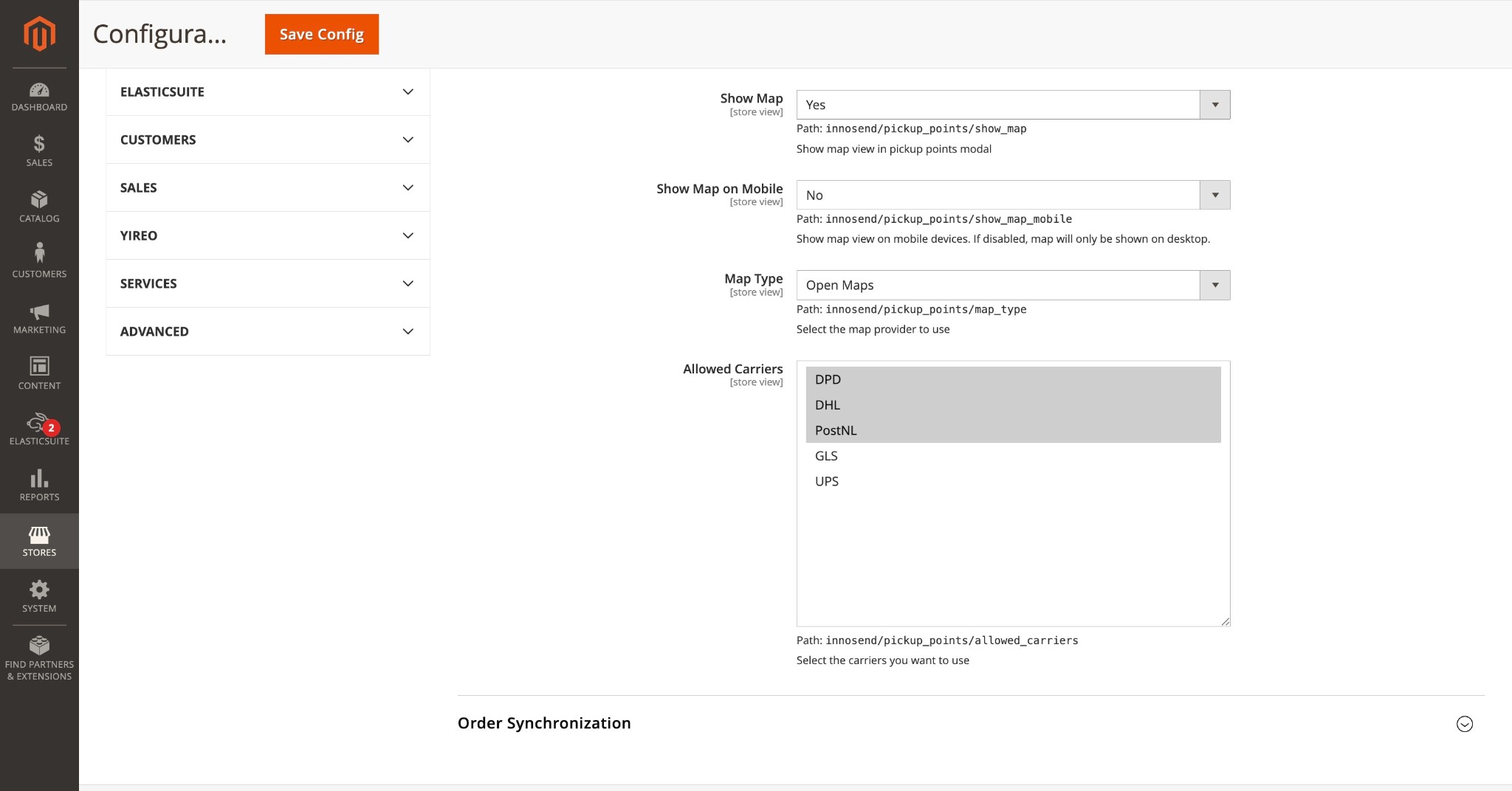
| Map Type | Select | OpenStreetMap | Map provider: OpenStreetMap (free) or Google Maps |
| Google Maps API Key | Password | - | Required when using Google Maps |
| Google Maps Map ID | Text | - | Required for AdvancedMarkerElement in Google Maps |
| Allowed Carriers | Multiselect | All | Select which carriers to display. Only selected carriers will be shown; others are excluded from pickup points. |
Supported Map Types
| Provider | Requirements | Notes |
|---|---|---|
| OpenStreetMap | None | Free, no API key required. Uses Leaflet.js |
| Google Maps | API Key + Map ID | Requires Google Cloud account and billing enabled |
Available Carriers
The following carriers are supported for pickup points:
- PostNL
- DHL
- DPD
- UPS
- GLS
- FedEx
Shipping Method Configuration
Path: Stores → Configuration → Sales → Shipping Methods → Innosend Pickup Points
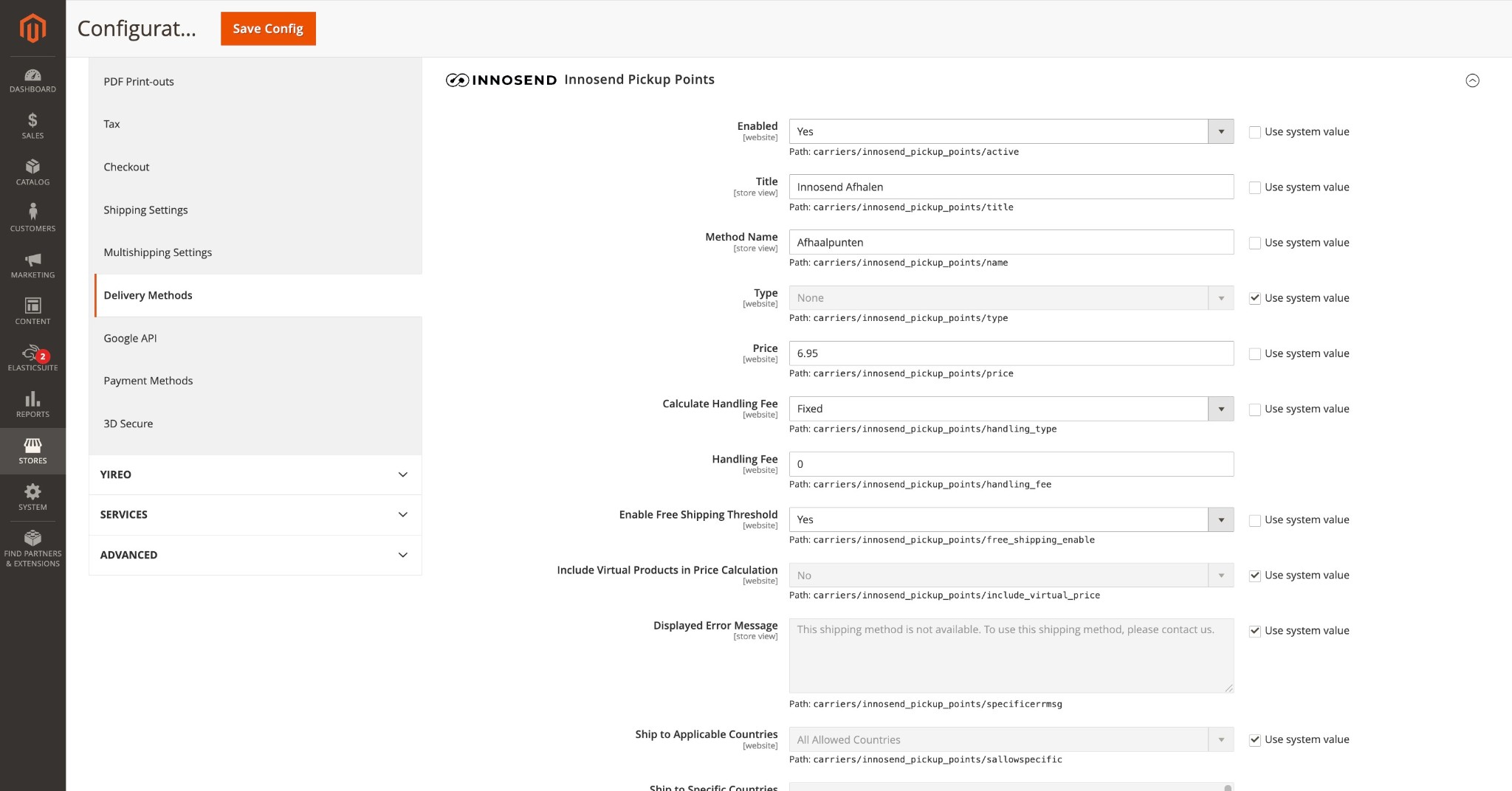
| Setting | Type | Default | Description |
|---|---|---|---|
| Enabled | Yes/No | No | Enable the shipping method |
| Title | Text | Innosend | Carrier title shown in checkout |
| Method Name | Text | Pickup Point | Method name shown in checkout |
| Type | Select | Per Order | Price calculation: Per Order or Per Item |
| Price | Number | 0.00 | Base shipping price |
| Calculate Handling Fee | Select | Fixed | Handling fee calculation method |
| Handling Fee | Number | 0.00 | Additional handling fee amount |
| Enable Free Shipping Threshold | Yes/No | No | Enable free shipping above threshold |
| Free Shipping Amount Threshold | Number | - | Order subtotal for free shipping |
| Free Shipping Weight Threshold | Number | - | Order weight for free shipping |
| Include Virtual Products in Price Calculation | Yes/No | No | Include virtual products in shipping calculation |
| Displayed Error Message | Textarea | - | Message when method is not available |
| Ship to Applicable Countries | Select | All | Restrict to specific countries |
| Ship to Specific Countries | Multiselect | - | Select allowed countries |
| Show Method if Not Applicable | Yes/No | No | Display method even when unavailable |
| Sort Order | Number | 0 | Display order in checkout |
Order Synchronization Configuration
Path: Stores → Configuration → Innosend → Order Synchronization
| Setting | Type | Default | Description |
|---|---|---|---|
| Enable Order Sync | Yes/No | No | Enable automatic order synchronization |
| Automatic Sync | Yes/No | Yes | Automatically sync orders when placed |
| Sync on Order Place | Yes/No | Yes | Sync immediately when order is placed |
| Retry Failed Syncs | Yes/No | Yes | Enable retry mechanism for failed syncs |
| Max Retry Attempts | Number | 3 | Maximum retry attempts for failed syncs |
| Enable Status Sync | Yes/No | No | Enable automatic status and tracking sync |
| Status Sync Interval | Number | 15 | Interval in minutes for status checks |
Order Sync Behavior
graph TD
    A[Order Placed] --> B{Sync Enabled?}
    B -->|Yes| C{Auto Sync?}
    B -->|No| Z[No Action]
    C -->|Yes| D[Send to Innosend API]
    C -->|No| E[Manual Sync Required]
    D --> F{Success?}
    F -->|Yes| G[Order Synced]
    F -->|No| H{Retry Enabled?}
    H -->|Yes| I[Queue for Retry]
    H -->|No| J[Log Error]
    I --> K[Cron Job Retries]
Synced Order Data
When an order is synchronized, the following data is sent to Innosend:
| Field | Description |
|---|---|
external_id |
Magento Order Increment ID |
order_number |
Magento Order Number |
created_at |
Order creation timestamp |
currency |
Order currency code |
total |
Order grand total |
customer |
Customer information |
billing_address |
Billing address |
shipping_address |
Shipping address |
items |
Order items with quantities and prices |
pickup_point |
Selected pickup point (if applicable) |
Configuration Scopes
All Innosend configurations support Magento's multi-store architecture:
| Scope | Description |
|---|---|
| Default | Global settings for all stores |
| Website | Settings per website |
| Store View | Settings per store view |
This allows you to:
- Use different API credentials per website
- Enable/disable features per store
- Configure different carriers per region
Environment Variables
For deployment automation, you can also configure settings via environment variables or the env.php file:
// app/etc/env.php
'system' => [
    'default' => [
        'innosend_api' => [
            'configuration' => [
                'enabled' => '1',
                'mode' => 'live',
                'api_token' => 'encrypted_value',
            ]
        ]
    ]
]
Configuration via CLI
You can also configure settings via the Magento CLI:
# Enable API connection
php bin/magento config:set innosend_api/configuration/enabled 1

# Set mode to live
php bin/magento config:set innosend_api/configuration/mode live

# Enable pickup points
php bin/magento config:set innosend/pickup_points/enabled 1

# Enable order sync
php bin/magento config:set innosend/order/enabled 1
Sensitive Data
The API Token should be configured via the admin panel to ensure proper encryption. Do not store unencrypted tokens in config files.
Recommended Configuration
For Testing
API Configuration:
├── Enable API Connection: Yes
├── Mode: Test
└── API Token: [your token]

Pickup Points:
├── Enable Pickup Points: Yes
├── Show Map: Yes
└── Map Type: OpenStreetMap

Order Sync:
├── Enable Order Sync: Yes
├── Automatic Sync: Yes
└── Sync on Order Place: Yes
For Production
API Configuration:
├── Enable API Connection: Yes
├── Mode: Live
└── API Token: [your token]

Pickup Points:
├── Enable Pickup Points: Yes
├── Show Map: Yes
├── Map Type: Your preference
└── Allowed Carriers: Select applicable carriers

Order Sync:
├── Enable Order Sync: Yes
├── Automatic Sync: Yes
├── Sync on Order Place: Yes
├── Retry Failed Syncs: Yes
├── Max Retry Attempts: 3
├── Enable Status Sync: Yes
└── Status Sync Interval: 15 minutes